
Product Design & Manufacturing
Two Rooms, Built to Meet
Board room and all-hands conferencing for UltiMaker's new headquarters
Background
A new headquarters, and two rooms that had to just work
UltiMaker — the desktop 3D-printing company formed by the merger of MakerBot and Ultimaker — was consolidating into a new headquarters at 55 Water Street. A new office meant new spaces to bring online, and two of them, the board room and the all-hands area, carried more weight than the rest. These are the rooms where leadership meets, where the whole company gathers, and where a dropped call or a fumbled screen-share happens in front of the largest possible audience.
Macktez had already been MakerBot's infrastructure partner for years — running server management and higher-tier support alongside the internal IT team. As part of the larger merger and relocation effort, UltiMaker asked Macktez to design, procure, and install turnkey conferencing systems for both rooms.
The Challenge
Two rooms, two very different jobs
The two spaces had genuinely different requirements, and getting each right meant designing for how the room is actually used rather than dropping the same kit into both.
The board room needed to feel effortless and executive: clean sightlines, reliable audio around a conference table, and a system anyone could walk up to and drive without training. The all-hands space had a harder problem — presenting to a full room from a podium while also carrying remote attendees, which calls for multiple camera angles, a presenter's view, and simple laptop presenting for whoever is running the meeting.
Both had to standardize on the platform the company already lived in — Zoom Rooms — and both had to be built into a raw new office, which meant the work wasn't just configuring equipment. It meant cabling, power, in-wall and in-ceiling runs, and the physical buildout behind the scenes that makes an integrated room look simple once it's done.
The Solution
Purpose-built systems for each room
Macktez designed, procured, configured, and installed a complete conferencing system for each space, tuned to how that room would be used:
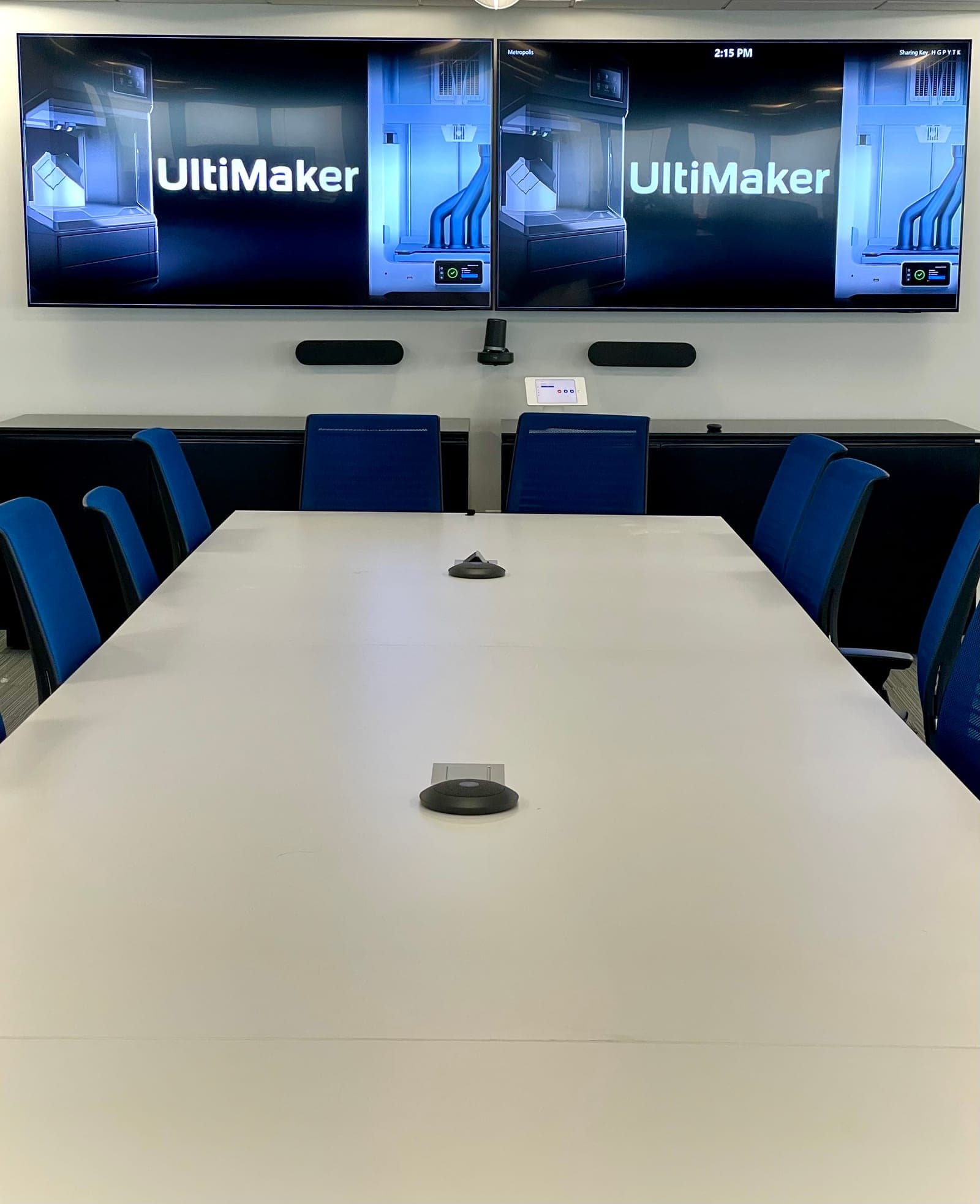
- Board Room Zoom Room — dual displays with a Logitech Rally Plus system (camera, speakers, and table-mounted microphones), an iPad controller for one-touch meeting control, and a dedicated Zoom Rooms computer, so leadership can start a call or share a screen without a second thought
- All-Hands Conferencing — a podium-based Zoom Room with dual displays, two Logitech Rally cameras (one covering the room, one at the podium) for flexible framing during presentations, and a Logitech Swytch so any presenter can plug in a laptop and present locally while remote attendees stay connected
- Full physical buildout — in-wall and in-ceiling cable runs, power and network drops behind the displays and at the podium and camera locations, and mounted displays, cameras, and controllers, delivered as finished, integrated rooms rather than a pile of equipment
Installing into a brand-new office meant working around the realities of new construction — displays delivered on the building's schedule, furniture arriving late, and power that wasn't live until partway through the install. Macktez adapted on site as conditions changed: when the board room table arrived with one fewer microphone cutout than planned, the team reconfigured the audio layout on the spot and relocated the controller to the credenza rather than hold up the room. The result in each case was a working, tested system — a laptop presentation and a live Zoom call verified before handoff.
Outcomes
What we delivered.
- Two turnkey Zoom Rooms — the board room and the all-hands space — designed, built, and tested for UltiMaker's new 55 Water Street headquarters
- Executive-grade simplicity in the board room: one-touch meeting control anyone can use
- Flexible multi-camera presentation in the all-hands space, with easy laptop presenting for any presenter
- Complete physical buildout — cabling, power, mounting, and configuration — handled end to end as part of the larger merger and relocation
- Rooms that hold up where it matters most: leadership meetings and full-company gatherings
Design Rooms That Work
Tired of meetings that start late because the tech doesn’t cooperate?
Let’s talk through your conference and board rooms and design AV and cabling that just works, every time.
Let’s TalkRelated
To build meeting rooms that just work, see:
For the fundamentals behind the cabling that makes it possible, see our University guide:
For more buildout work like this, see these case studies: